
 10 Best Photo Places in the USA
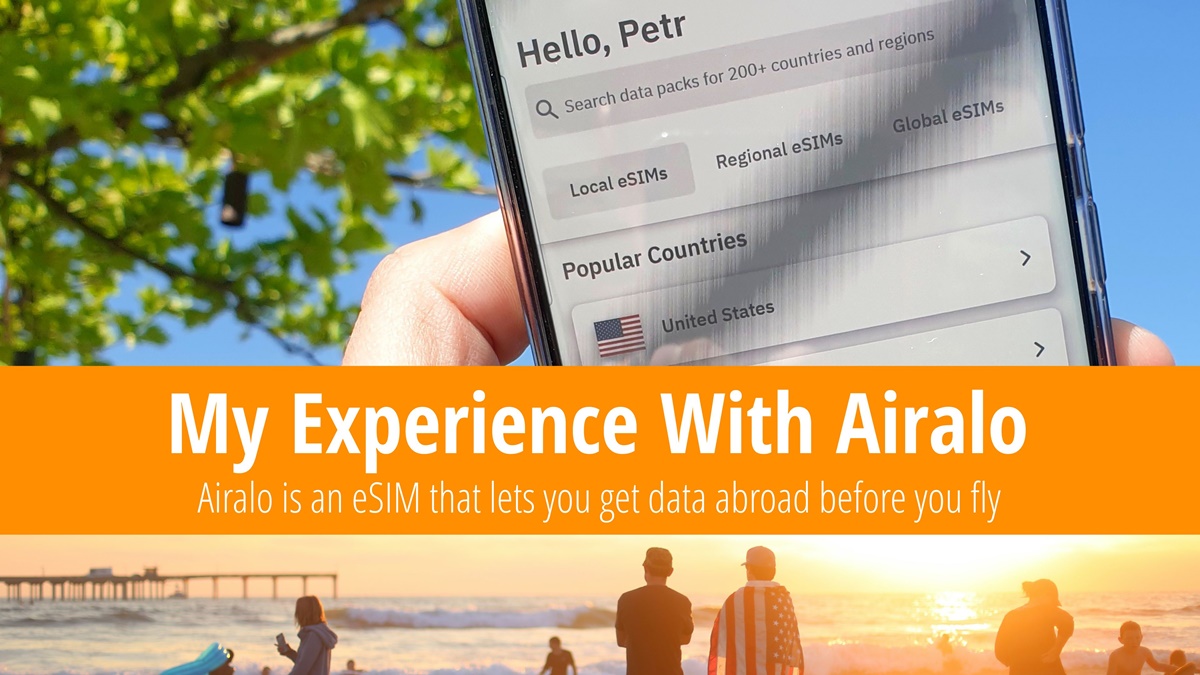
Airalo is a mobile app that allows you to get an eSIM card and 1 GB of data in the USA (or anywhere else) for as little as $1.50 even before landing. There’s no need to visit a store or physically swap out your SIM card. Airalo works as an eSIM—you simply select the desired package in the app, pay for it, and activate it with just a few clicks. I have been using Airalo on my travels for quite some time, and in this article, I share my experience.
-
Table of Contents
How Airalo eSIM Works and Why You Should Use It
Having constant internet access while traveling is essential nowadays, whether for booking accommodations on the go or using services like Uber. Years ago, I used to buy a prepaid SIM card at the airport upon arrival whenever I traveled outside the EU. While it worked, I had to carry a SIM ejector tool with me, and in some countries, prepaid packages were expensive. With Airalo, these issues are a thing of the past.
💡 How Airalo eSIM Works
The Airalo app offers virtual SIM cards for over 200 countries worldwide. You can purchase a SIM card for a specific country (USA), a particular region (North America), or global use. Airalo does not operate its own mobile network but instead partners with various carriers. In many countries, two types of SIM cards are available.
The first option includes only mobile data, which must be used within a specified number of days (usually 7, 15, or 30). The second option includes a package with a limited number of minutes for calls and SMS messages. I always choose the data-only SIM card without calls.
You install the Airalo app, purchase the desired data package, and activate the eSIM upon arrival in the country. Your phone will connect to the local network, allowing you to use mobile data immediately.
👍 Why Airalo Is Worth Using
You can purchase a SIM card and data package conveniently through the app. There’s no need to visit a mobile carrier store or physically replace anything in your phone. Once you use up your data package, you can easily top up within the app.
Airalo operates in more than 200 countries worldwide. If you frequently visit a particular country, you can keep the eSIM active and simply purchase more data for your next visit.
❓ Does My Phone Support eSIM?
To use Airalo, your phone must support virtual SIM cards (eSIM). Most modern smartphones have this feature. To check, dial *#06# on your device. If you see “EID” among the displayed codes, your phone supports eSIM, meaning you can use Airalo.
-
Airalo eSIM Data Pricing
The price of an Airalo eSIM varies depending on the selected country, the partner mobile carrier, and the size of the data package. The larger the package you buy, the longer you’ll have to use the data. Additionally, the cost per 1 GB of data decreases as the package size increases.
🏷️ Current Airalo eSIM Pricing 2025
To check the latest data package prices, the easiest way is to install the Airalo mobile app. You don’t need to make a purchase to view prices. For reference, here are some sample plans for different countries. Prices were last updated on March 1, 2025.
Country Carrier Data Volume Validity Period Price USA Change 1 GB 7 days $4.50 USA Change 2 GB 15 days $8.00 USA Change 3 GB 30 days $11.00 USA Change 5 GB 30 days $16.00 USA Change 10 GB 30 days $26 USA Change 20 GB 30 days $42 Canada Tuque Mobile 1 GB 7 days $6.00 Canada Tuque Mobile 5 GB 30 days $18.00 Global Discover 1 GB 7 days $9.00 Global Discover 20 GB 365 days $69 ⭐ Saily eSIM With Unlimited Data in the USA
Saily eSIM, a competing service that operates on the same principle as Airalo, offers even lower prices on data packages.
For example, an eSIM for the USA with a 1 GB data package valid for 7 days is available for just $3.99. A larger 5 GB package valid for 30 days is sold for $13.99, and the price of a Saily eSIM with unlimited data in the USA for 15 days is $50.
Using the Saily eSIM is simple — just download the app, install the eSIM, and purchase a data package. Upon arrival in the USA, the eSIM activates automatically. The Saily service is available in more than 200 countries worldwide, and eSIMs valid for global use are also offered.
-
How to Buy Mobile Data with Airalo eSIM
The entire process takes approximately 10 minutes the first time, but after that, it becomes effortless. I recommend setting up Airalo a few days before departure. While the SIM card only activates upon connecting to a network in the destination country, some countries require additional user verification. This process may take one to two days, so it’s best to avoid unnecessary delays.
1️⃣ Download and Install the Airalo App
To use Airalo, your phone must support eSIM. If your device does not support this feature, the app will not allow you to purchase a package, ensuring you don’t spend money unnecessarily.
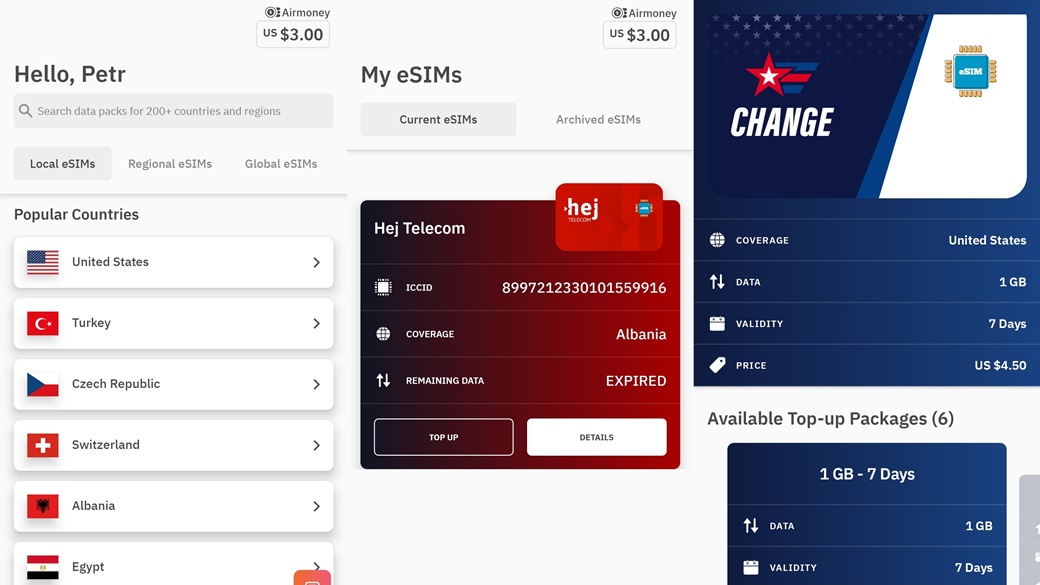
The Airalo app is available for both Android and Apple iOS and can be downloaded via the link below. As a bonus, you’ll receive a $3.00 discount on your first purchase. For example, the cheapest 1 GB data package for the USA will cost you only $1.50.
2️⃣ Create a User Account
After installing the app, create a user account and add a payment card. I recommend using Revolut or Wise, as they offer better exchange rates than traditional bank cards.
The Airalo eSIM is tied to a specific device, meaning a purchased data package cannot be transferred to another phone.
3️⃣ Select and Purchase a Data Package
On the app’s home screen, select the country you are traveling to in order to view the available options. If you plan to visit multiple countries soon, a Regional or Global eSIM might be a better option. A Regional eSIM works across North America, while a Global eSIM can be used in 125 countries worldwide.
When choosing a package, consider two key factors. The most affordable packages typically last for seven days. For a two-week trip, you may need to purchase a larger package to stay connected.
The second factor is data usage. If you’re unsure how much data you’ll need, check your phone’s network usage statistics. For basic use, such as searching for hotels, reading articles, and using navigation, an estimated 250 MB per day should suffice. However, you should disable cloud backups, app updates, and video streaming to conserve data.
4️⃣ Activate Your eSIM
After purchasing a package, you need to install and activate the eSIM on your phone. The app guides you through the process and sets everything up automatically—even the first time, it was easy for me.
You can have multiple eSIMs installed on one phone, which is especially useful if you frequently travel or switch between different countries.
Some countries require additional identity verification. Before activating the SIM card, you may need to upload a copy of your passport in the app. There’s no need to worry about data misuse—verification is handled by a trusted company, and transmitted data is encrypted.
Passport verification may take several hours to a full day, so I recommend purchasing your Airalo eSIM a few days before departure.
⚠️ Internet Connection Required to Activate Airalo eSIM
Activating a purchased eSIM requires an internet connection. I usually activate mine at the airport before departure. The eSIM validity period typically begins once it connects to a supported network for the first time. You can find the exact terms in the app by opening the package details and clicking on “Plan Type.”
5️⃣ eSIM Becomes Active Upon Network Connection
You can purchase a package and set up your Airalo eSIM before departure, but mobile data will only start working once your phone connects to the local network. The first time, this confused me—I had everything set up, but the SIM card didn’t work at the airport in Prague. However, upon landing in New York, the setup completed automatically, and my phone connected to T-Mobile USA.
6️⃣ Monitor Your Data Usage in the App
You can track your remaining data directly in the Airalo app. If you’re running low, you can either reduce usage or purchase an additional package. The price remains the same as your initial purchase.
-
My Airalo Review: What Worked Best for Me
Your experience with Airalo largely depends on how much data you use while traveling. Will you conserve data, or do you prefer unrestricted use? I fall somewhere in between, and the following tips worked well for me. I’d love to hear your experiences and suggestions in the comments section.
🎁 Get a $3.00 Discount on Your First Purchase
By signing up for Airalo through the link below, you’ll receive a $3.00 discount on your first eSIM purchase. The discount is tied to your user account, meaning if you buy a second SIM card using the same email, the discount will not apply. However, you can still get 1 GB of data in the USA for seven days for just $1.50.
To receive the discount, keep the promo code “PETR7251” filled in during registration.
♻️ Airmoney Loyalty Program
Airalo users are automatically enrolled in the loyalty program, where a certain percentage of their purchase value is credited back to their account as Airmoney cashback. The collected credits can be used to purchase additional eSIMs. The more you spend with Airalo, the higher your cashback percentage will be. It starts at 5%, and once you reach a total spend of $200, you can receive up to 10% cashback on your purchases.
💰 How to Save Data in Countries Where It’s Expensive
My mobile plan includes unlimited data. By default, my phone automatically backs up photos to the cloud via a mobile network, even when I’m abroad. However, if I travel to a country where data is expensive, even with Airalo, I enable backups only over Wi-Fi. Photos and videos are the biggest consumers of data.
To save data while traveling, you can download offline maps in Google Maps to your device. You can also download movies from Netflix or videos from YouTube in advance.
⛔ Why I Don’t Buy Calling and SMS Packages
In some countries, Airalo offers plans that include local minutes and SMS messages. In my opinion, this is unnecessary.
SMS is outdated. Just like calling, it can almost always be replaced with communication through WhatsApp. If I need to call a local number, I use Skype, where I have free credit for calling landlines and mobile phones worldwide. On average, I use this option once a year.
⚠️ eSIMs Can Only Be Installed Once
Each eSIM can only be installed on a phone once. If you completely remove it, you will lose it along with any remaining data. Most phones allow you to install multiple eSIMs simultaneously, so there’s no need to delete them right away. While only one or two can be active at a time, this doesn’t cause any issues.
-
Frequently Asked Questions About the Airalo App
Can I Share Data from an Airalo eSIM via Hotspot?
Yes, it is possible.If you are traveling in a group, one person can purchase an eSIM and share the internet with others via a mobile hotspot. You can also create a hotspot to connect your laptop. However, keep in mind that the more devices you connect, the faster your data will be consumed.
Does Airalo eSIM Support 5G Connectivity?
It depends on the country and the network provider.Airalo itself supports 5G, but availability depends on the network coverage in each country. To check, simply open the package details in the app and look under the “Network” section. If the partner provider supports 5G, it will be indicated there. Generally, network infrastructure in the visited country is the main determining factor.
How Is an eSIM Better Than a Traditional Plastic SIM Card?
The main advantage of an eSIM is convenience and ease of use, especially while traveling. There’s no need to insert a physical SIM card into your phone—eSIM activation is done through the Airalo app. The downside is that some older phones do not support eSIM technology.Will I Get a Local Phone Number with Airalo?
It depends on the plan you choose.If you purchase a data-only plan, you will not receive a local phone number, as the SIM does not support calling. To get a local phone number, you need to choose a plan that includes call minutes.
Does Airalo Offer Long-Term Subscriptions?
At this time, Airalo does not offer any long-term subscriptions or plans. However, you can purchase the global eSIM “Discover,” which allows you to use up to 20GB of data over 365 days. There is also an option that includes 200 minutes of calling and 200 SMS messages. Both plans are available in 125 countries worldwide.



Contribute with Your Question or Personal Experience